NexMate

Kpop Demon Hunter Filter: Create Your K-pop Idol Look

Upload a portrait, choose a K-pop Demon Hunters-inspired look, add optional scene direction, and set the image ratio. The tool is built for dramatic idol styling, fantasy details, and shareable character portraits.

Create with Kpop Demon Hunter Filter

Choose the options that match your source and intended result, then submit the prepared request.

JPG, JPEG, PNG, or WebP up to 20 MB. Use a clear portrait with one visible face.

Optional, up to 800 characters. A focused visual direction works best.

.

Key features

Key Features of Kpop Demon Hunter Filter

01

Portrait-to-idol transformation

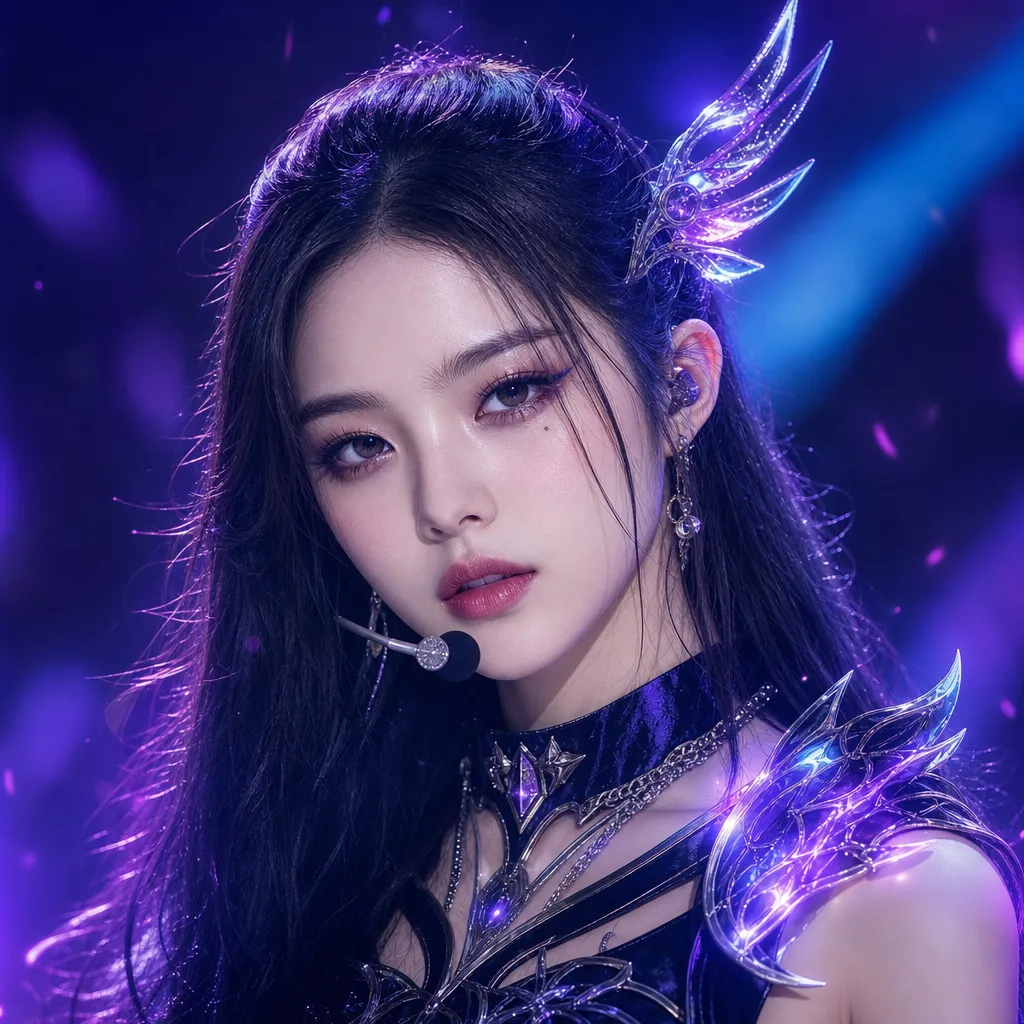
Upload one clear portrait with the face and upper body visible. The request begins from your real pose and facial framing, then applies a stylized idol transformation rather than asking you to assemble costume, lighting, and makeup references separately.

02

Demon hunter-inspired looks

Choose a performance-ready concept such as neon guardian, moonlit vocalist, or futuristic street idol. Each preset gives the request a coherent blend of stage wardrobe, dramatic makeup, fantasy accessories, and concert lighting.

03

Optional scene direction

Add a short prompt when you want to steer the background, pose, color mood, or prop details. Specific requests such as a rooftop stage at dusk are more useful than broad phrases such as make it cool or make it viral.

04

Portrait ratios for social posts

Pick a portrait, square, or landscape output ratio based on where you plan to display the image. Selecting the composition before generation helps preserve the face, costume silhouette, and special-effect area in the intended crop.
Step by step

How to Use Kpop Demon Hunter Filter

  1. 1

    Upload a clear portrait

    Use one photo with a visible face, shoulders, and natural lighting. A front-facing or three-quarter portrait with limited obstructions gives the style transformation a cleaner starting point.

  2. 2

    Pick a look and refine the prompt

    Choose the demon hunter-inspired idol preset that fits your mood, then optionally describe the stage setting, color direction, pose, or accessories you want to emphasize.

  3. 3

    Set ratio and submit

    Choose the ratio for a profile post, story, or wider scene and submit the request. Review the final image for facial consistency, unintended text, and whether the selected styling matches your sharing context.

FAQ

FAQ of Kpop Demon Hunter Filter

What does Kpop Demon Hunter Filter do?+

It turns an uploaded portrait into a K-pop Demon Hunters-inspired idol image. You can set a look, add a custom scene direction, and choose the aspect ratio for a dramatic character-style result.

Which photo works best for the Kpop Demon Hunter Filter?+

Use a sharp single-person photo with the face and upper body visible. Natural lighting, a simple background, and limited hair or hand obstruction help the transformation retain a clear likeness.

Can I choose different K-pop Demon Hunter looks?+

Yes. The form offers several visual directions such as neon guardian, moonlit vocalist, and futuristic street idol. Use the optional prompt to further specify staging, colors, accessories, or pose.

Can I add my own prompt?+

Yes. Add a concise direction for the setting or mood, for example a rainy rooftop stage with teal light. Avoid vague wording and review any result before sharing it publicly.

Is Kpop Demon Hunter Filter officially affiliated with a film or franchise?+

No. This is an independent AI image tool for fan-style creative expression and is not presented as official or licensed franchise content. Do not use generated images to imply an official endorsement or commercial partnership.